
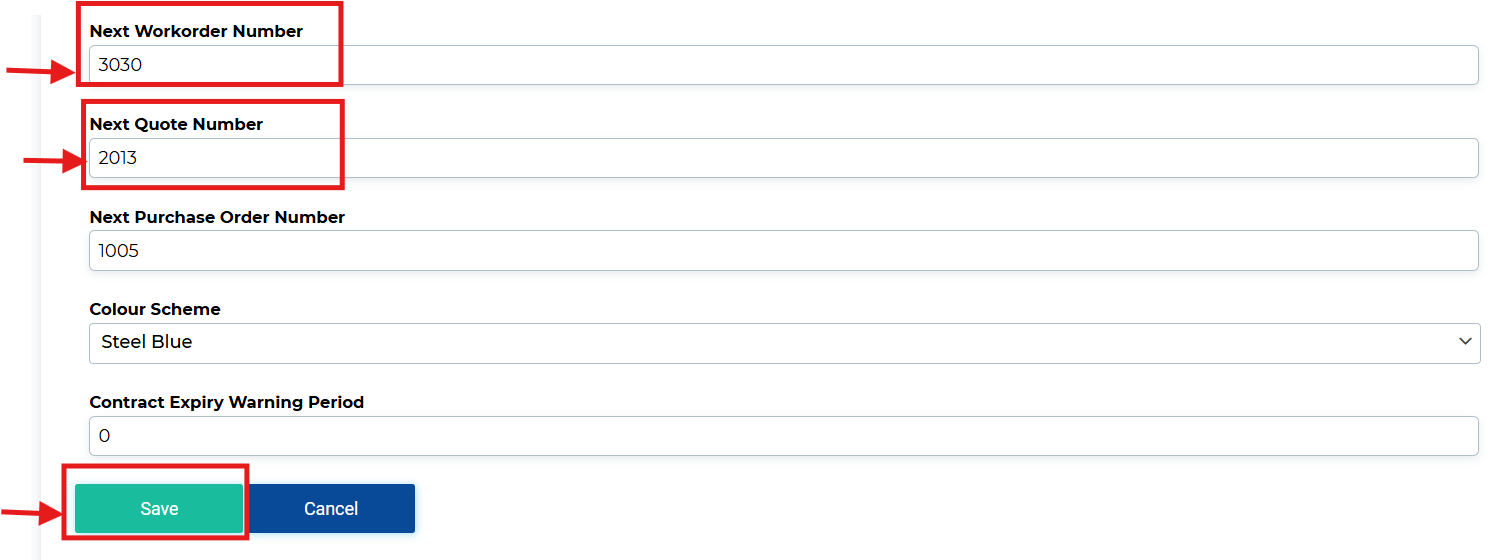
You can update your Work Order and Quote numbering by navigating to:
Settings → Tenant → Next Work Order Number / Next Quote Number
Near the bottom of the Tenant tab, you’ll find fields where you can change both the Next Work Order Number and the Next Quote Number.

How Invoice Numbers Are Affected:
Invoice numbers in ServiceBox are directly tied to the Work Orders they’re created from.
For example:
-
If you set your Next Work Order Number to
250001 -
The Invoice number generated from that Work Order will be
250001-1
Each additional invoice created from the same Work Order will increment that suffix (e.g., 250001-2, 250001-3, etc.).
Need Help?
If you have any questions or need support, please click the Help button in your ServiceBox account or email us at support@getservicebox.com.