
What's New in This Release?
This release includes updates in the following areas:
|
Area |
Included updates |
|
Quotes |
Quote Template Text, Quote Categories, Quote Custom Columns, Quote Assigned To User, Quote Employee Signature, Quote Percent Display, Auto-save on Quote, Quote Report Created By, and Quote Report Assigned To. |
Quote Template Text Management
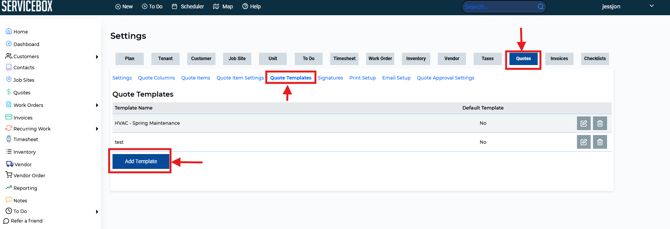
Quote Templates now let your team save reusable quote descriptions and quickly apply them to new quotes. Users can also create and manage the text stored within each template
This allows administrators and office staff to maintain approved wording that can be reused across multiple quotes.
Benefits include:
- Standardized customer communication
- Faster quote creation
- Reduced manual typing
- Consistent branding and messaging
Applying Quote Templates
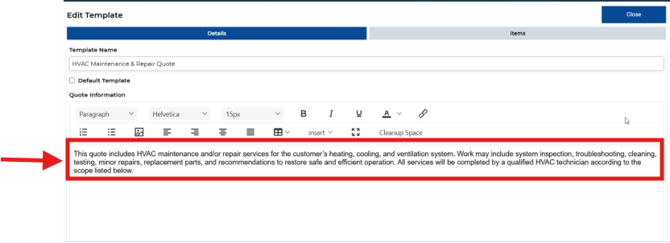
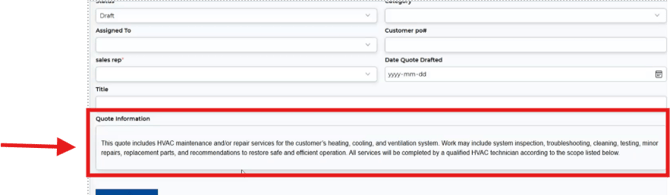
When creating or editing a quote, users can apply saved template text directly into the Quote Information section.
This helps ensure consistency between team members and reduces the chance of missing important information.
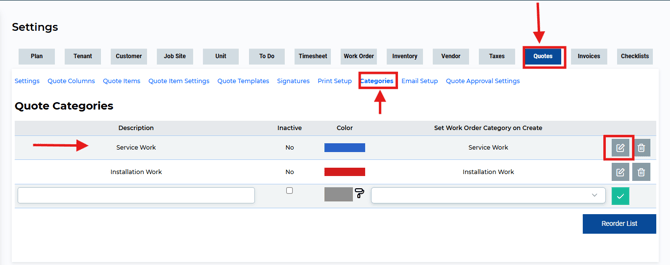
The new Quote Categories tab provides a way to organize quote items into logical groups.
This is particularly useful when quotes contain multiple services, products, or phases of work.
Benefits include:
- Better organization
- Improved readability for customers
- Easier quote review
- Consistent categorization of work
Quote Columns
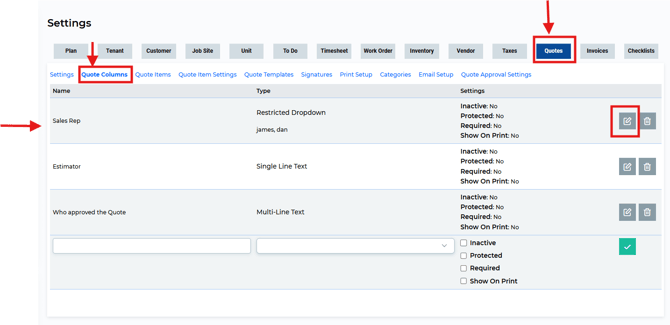
The new Quote Columns allow businesses to add additional fields to their quotes.
These custom fields provide flexibility for organizations that need to track information unique to their workflow.
Examples may include:
- Sales Representative
- Estimator
- Approval Information
- Internal Tracking Fields
This allows each company to tailor quote layouts to their operational needs.
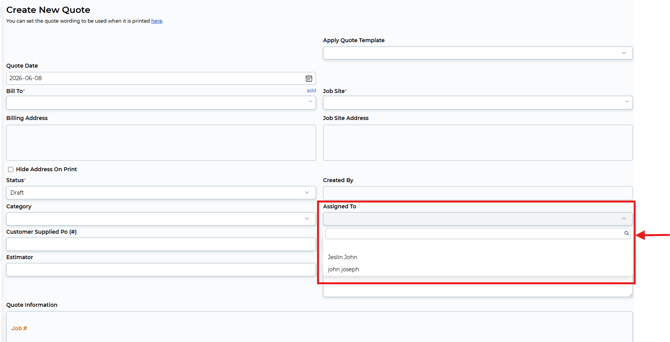
Quotes can now be assigned to a specific user.
Assigned users help teams identify ownership and responsibility for a quote, making it easier to manage:
- Follow-ups
- Approvals
- Reviews
- Internal accountability
Managers can quickly see who is responsible for each quote.
Employee Signatures
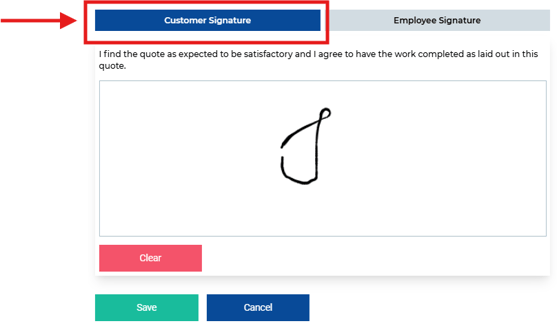
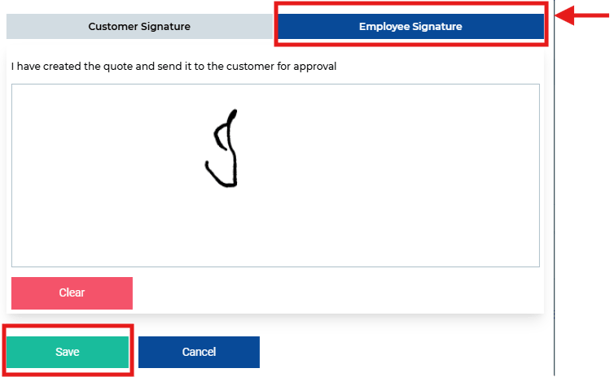
Employee signatures can now be added to quotes.
This feature allows staff members to sign and acknowledge quote-related information as part of internal review and approval processes.
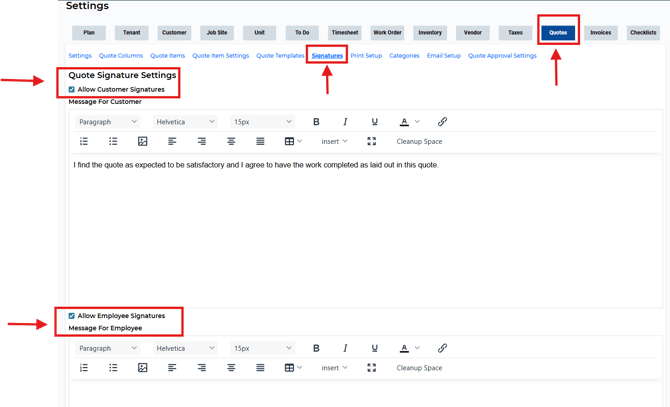
Employee signatures can help:
- Document who prepared a quote
- Confirm internal review
- Support approval workflows
New Quote Percentage Display
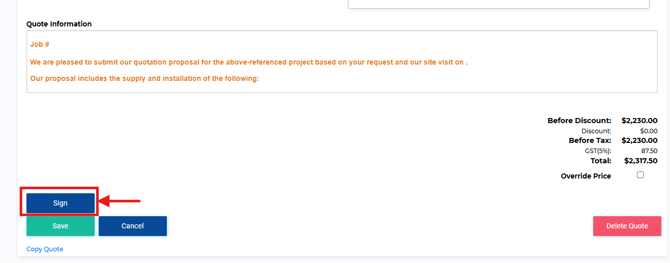
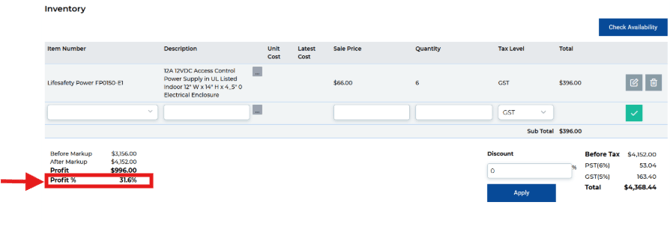
In addition to the profit dollar amount, quotes now display the profit percentage.
This enhancement improves visibility when working with:
- Markups
- Discounts
- Profit percentages
- Percentage-based calculations
The result is easier-to-read quote calculations and improved accuracy during quote review.
Auto-Save for Quotes
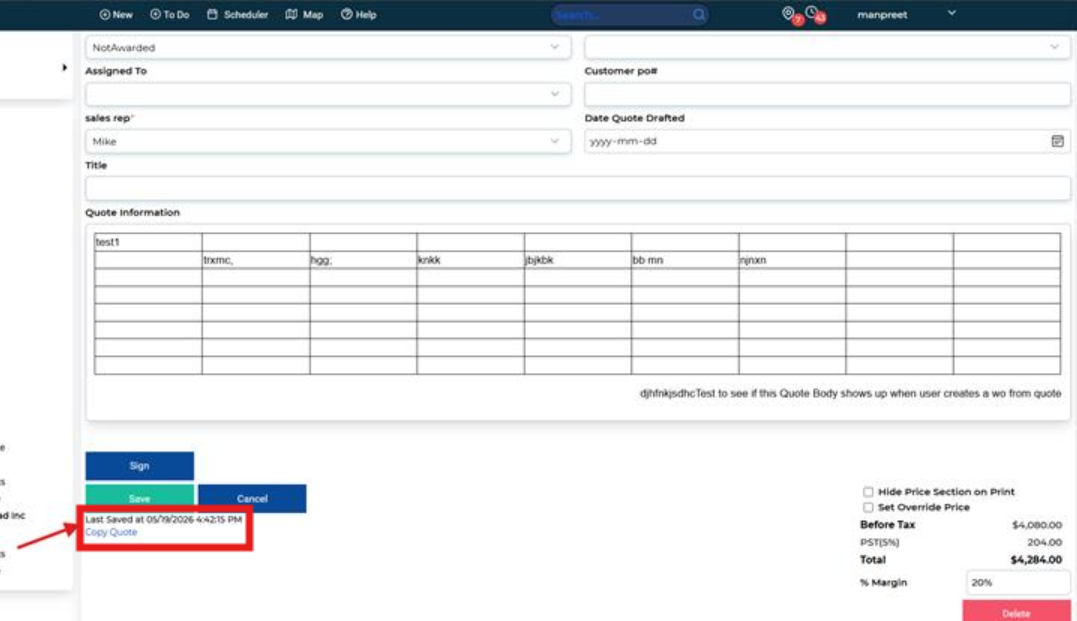
Quote text fields can now automatically save when users move away from the field they are editing.
Auto-save occurs when users:
- Click into another field
- Tab out of a field
- Leave the text area
Why This Matters
Previously, users relied heavily on manually saving their changes. In collaborative environments, unsaved text could occasionally be overwritten or lost.
With auto-save:
- Changes are saved sooner
- Risk of losing information is reduced
- Collaboration between multiple users is improved
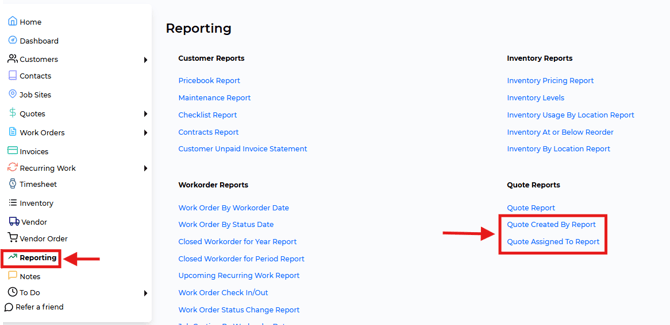
New Quote ReportsNote: Users should still avoid editing the exact same field simultaneously, as the most recently saved version will remain the active version.
Created By Report
Quote reports now also include a new report based on the Created By field. This makes it easier to identify the original creator of the quote and provides better visibility into its history.
Assigned To Report
Quote reports now also include a new report based on the Assigned To field. This helps managers and team members quickly determine ownership and responsibility for quote follow-up activities.
Need Help?
If you have any questions or need support, please click the Help button in your ServiceBox account or email us at support@getservicebox.com.