
Summary
This document will go over the configuration and details of how to get ServiceBox invoice notes into QuickBooks Desktop.
Importing Notes from ServiceBox to QuickBooks
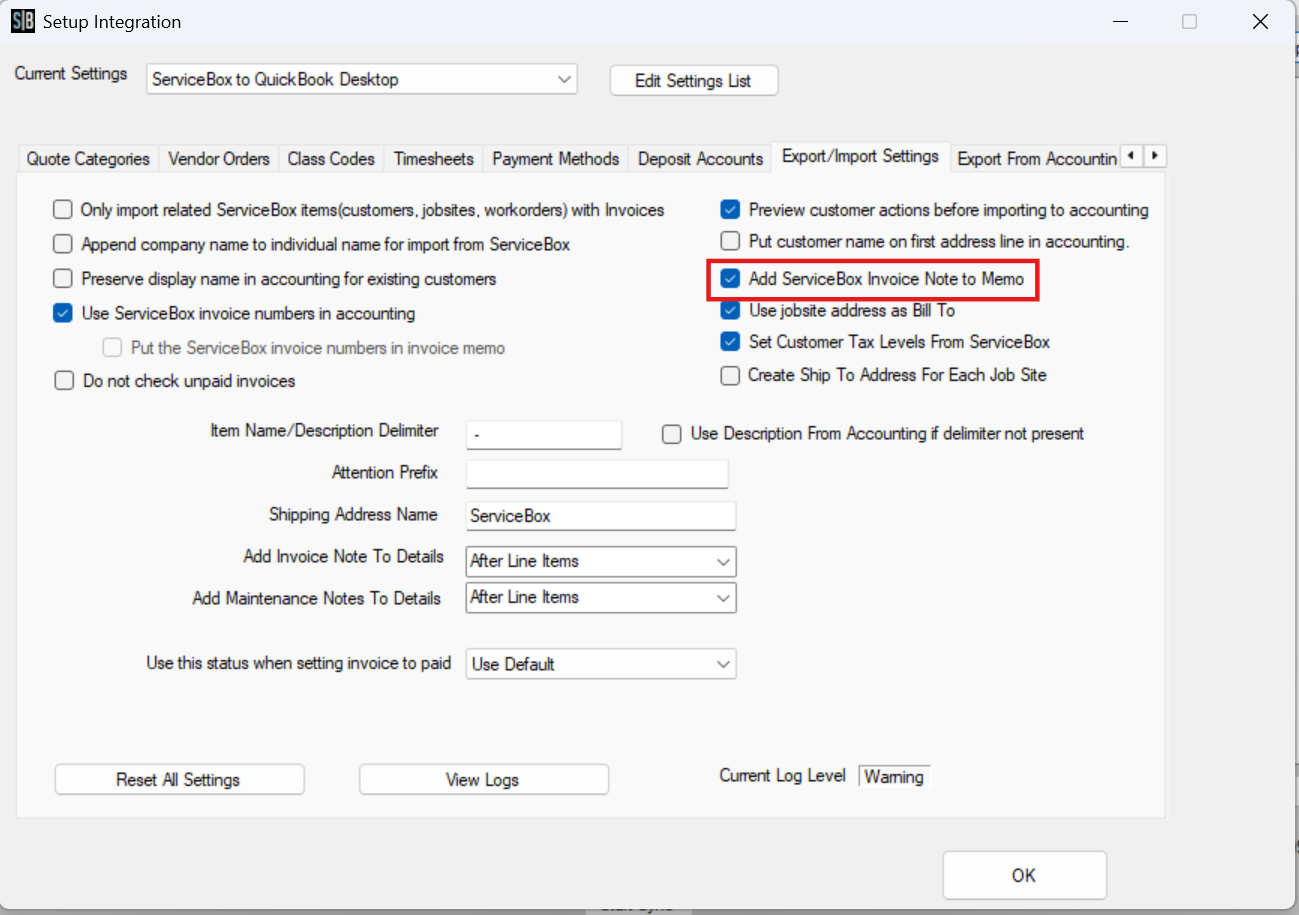
In the Accounting Connector, you will have a small setting that needs to be set. Go to the "Export/Import Settings," and you will see the checkbox for: "Add ServiceBox Invoice Note to Memo". To enable the import of notes, check this box. Once it is checked off, all invoice notes will be imported into the Memo Field inside QuickBooks:
Example: Importing a Time and Materials Invoice
If I create an invoice inside of ServiceBox with an invoice note that looks like this: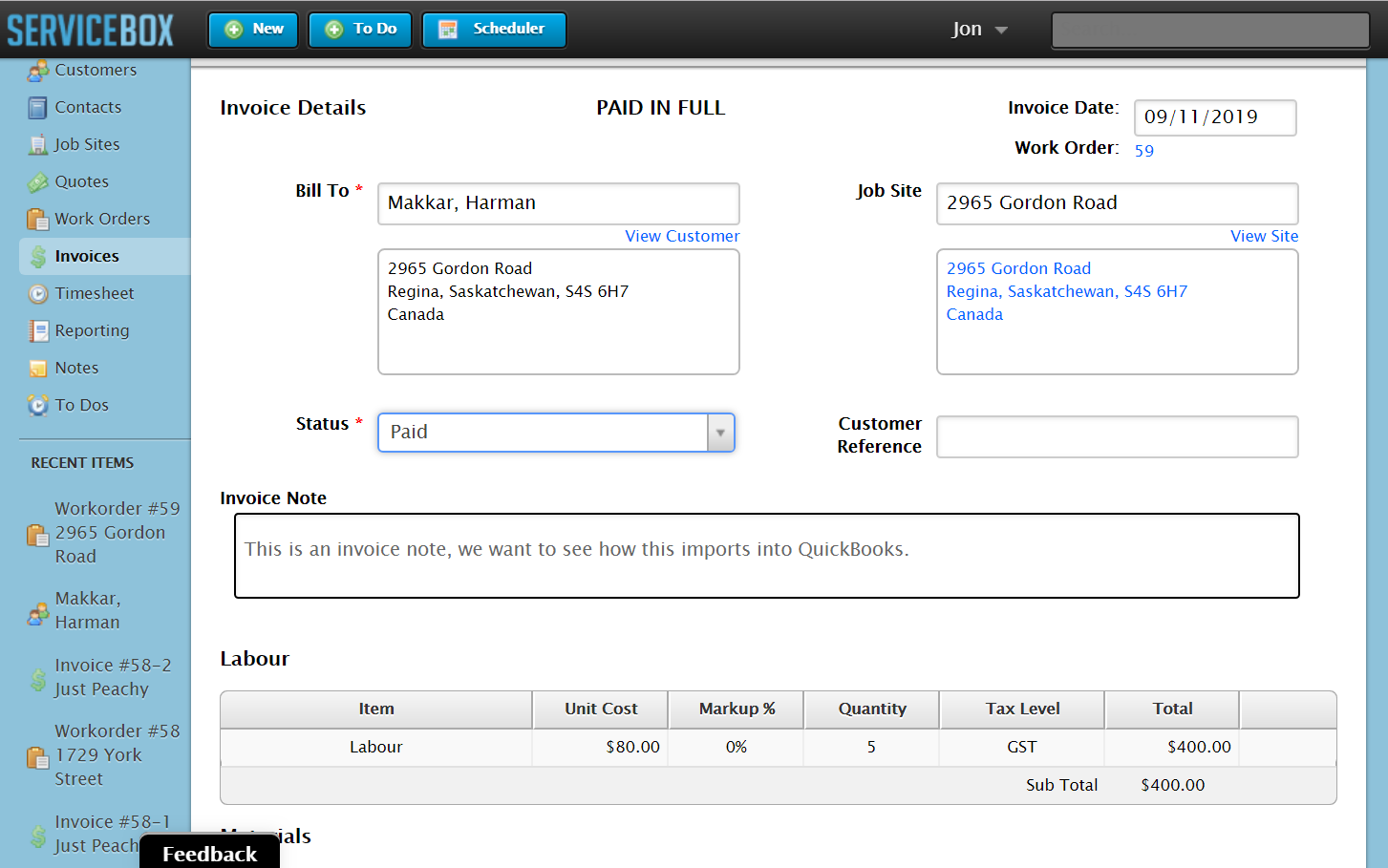
When I run the Sync the Results look like this: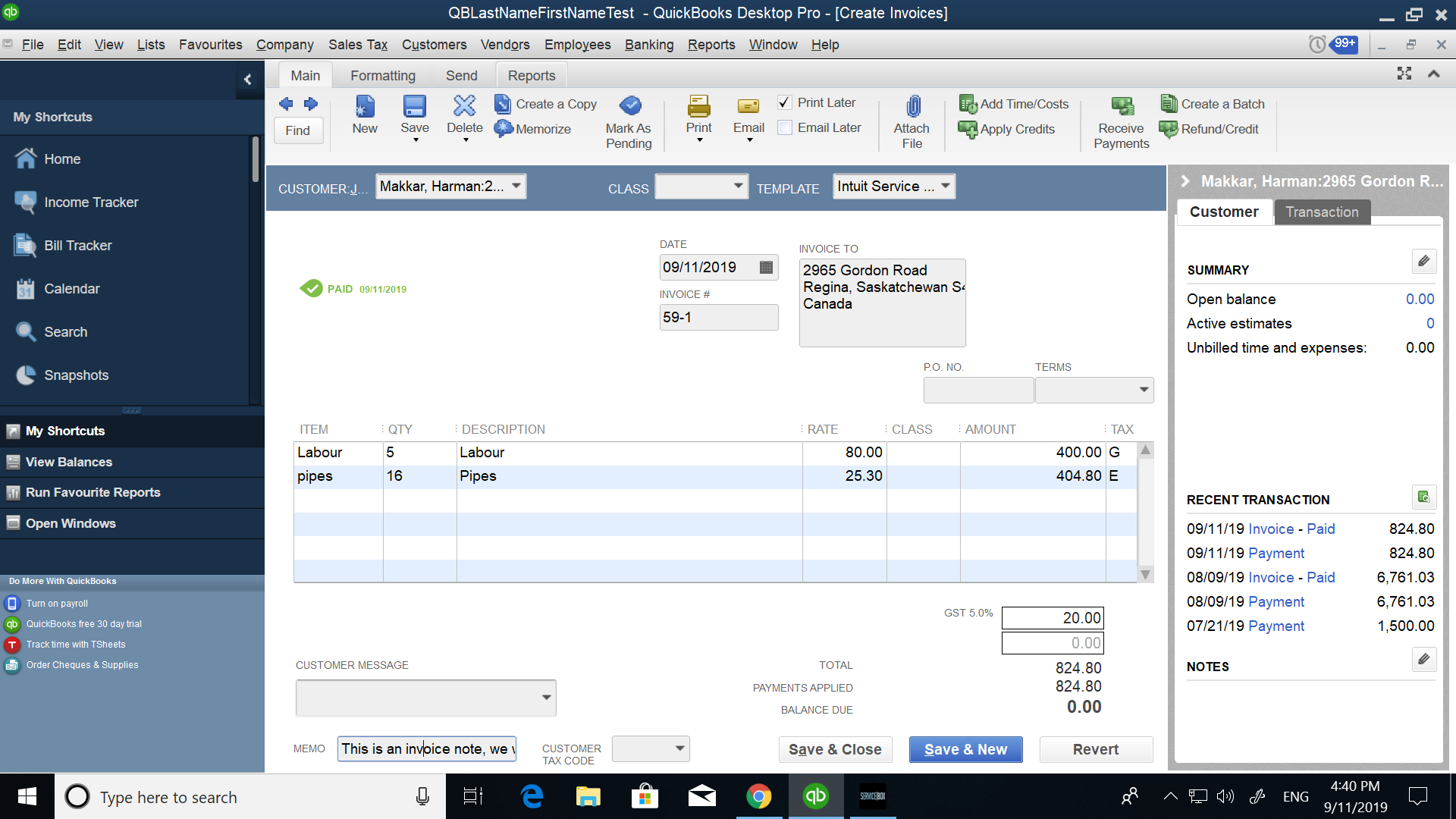
Note the memo field shows the same value as what was expected.
Exceptions
- If you import an invoice that is from a quote, it will start with the message: 100.000% of Quote #15 and then will append the note after.
Example:
100.000% of Quote #15. This is a Quote Note, but I want to see if it imports to QuickBooks. - If you have turned on the setting to use the ServiceBox Invoice number and add it to the Memo Field, then the ServiceBox invoice number will appear, and the Invoice Note will be appended.
Need Help?
If you have any questions or need support, please click the Help button in your ServiceBox account or email us at support@getservicebox.com.