
Why does the connector require QuickBooks to be open to run?
We've found that opening QuickBooks before running the connector speeds up the synchronization process tremendously.
I click the sync button, and the connector freezes with the message 'Testing Connections.' What is happening?
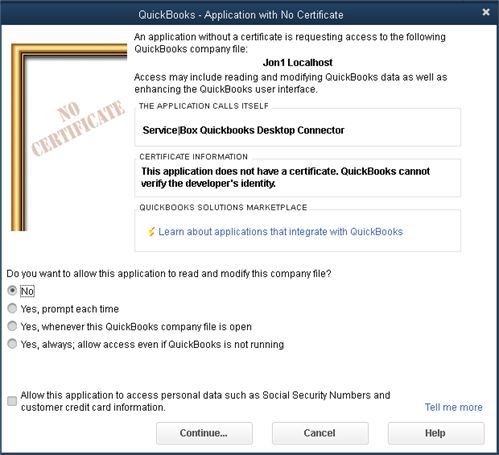
If this is the first time you are running the connector, you need to grant it permission to open your QuickBooks file. If you go to QuickBooks and see this screen:
-
Click one of the options starting with 'Yes'; the connector will continue the sync process.
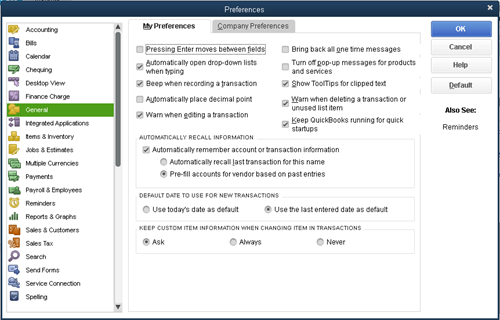
Note: The last option will not require you to open QuickBooks before running the sync. This option will only work with the connector if the 'Keep QuickBooks running for quick startups' is set, because we require that QuickBooks be running to use the connector for performance reasons.
The setting appears in QuickBooks under the General tab in preferences, as illustrated below.
Need Help?
If you have any questions or need support, please click the Help button in your ServiceBox account or email us at support@getservicebox.com.