
Issue:
Some of our customer reported an issue with syncing Vendor Orders (VO) in QuickBooks Online despite correct settings.
Solution:
This issue is related to a setting within QuickBooks Online that needs to be activated.
To resolve this issue, follow this process:
- Log in to QuickBooks Online.
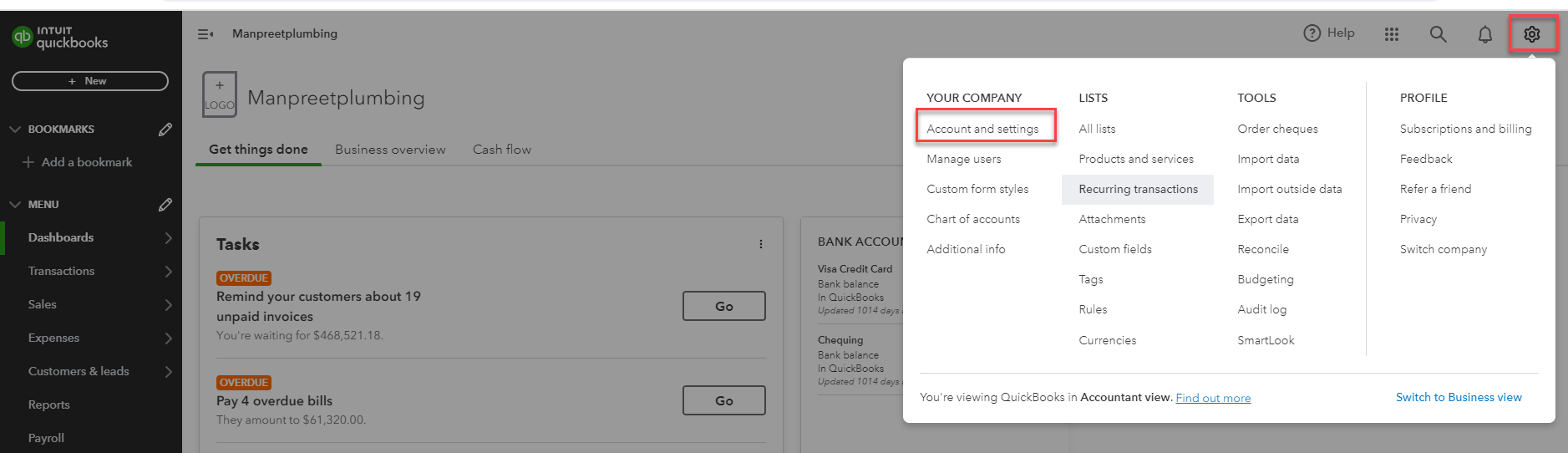
- Navigate to the Settings (Gear Icon) --> Accounts and Settings.
- Under Expenses, activate the Purchase Order feature
- Save your changes
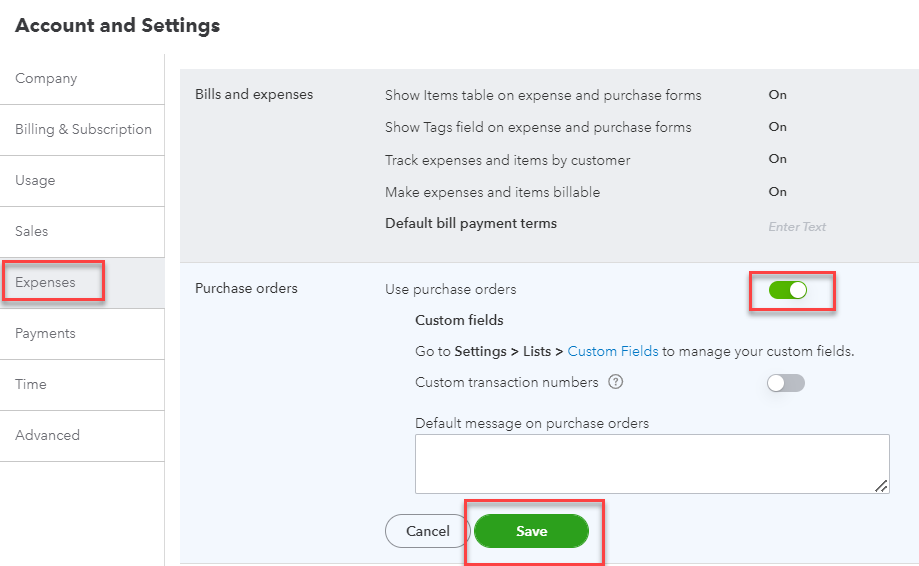
- Once the Purchase Order feature is activated, re-run the sync.
Need Help?
If you have any questions or need support, please click the Help button in your ServiceBox account or email us at support@getservicebox.com.